

Crew scheduling and timesheets for turf installers.
Build the week and publish it. Your turf crew sees it on their phones, clocks in at the job with a GPS time clock, and by payday the hours and overtime are worked out and ready to approve.
Unlimited users.
Your whole crew and your office each get their own login, with no per-seat fee.
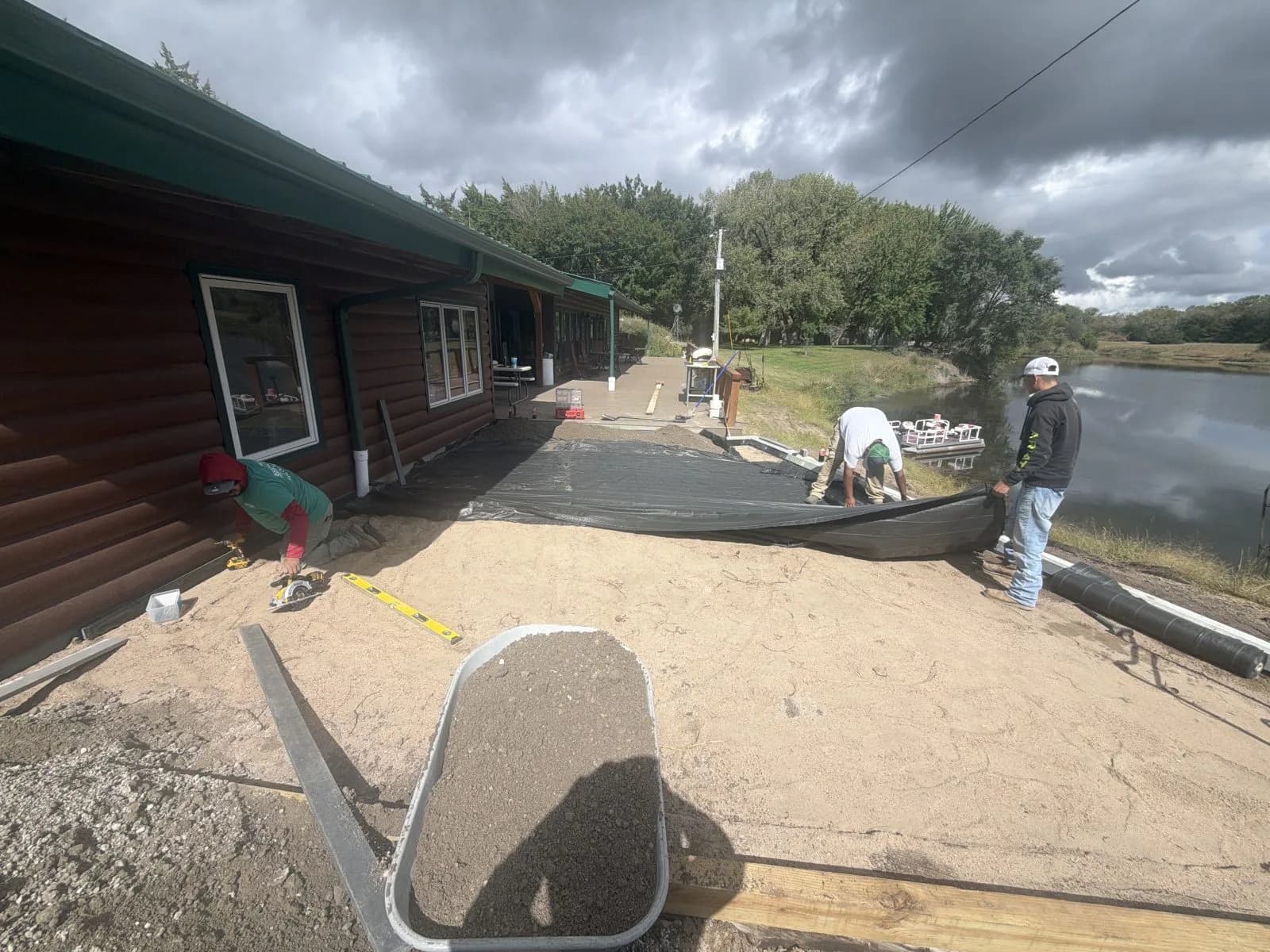
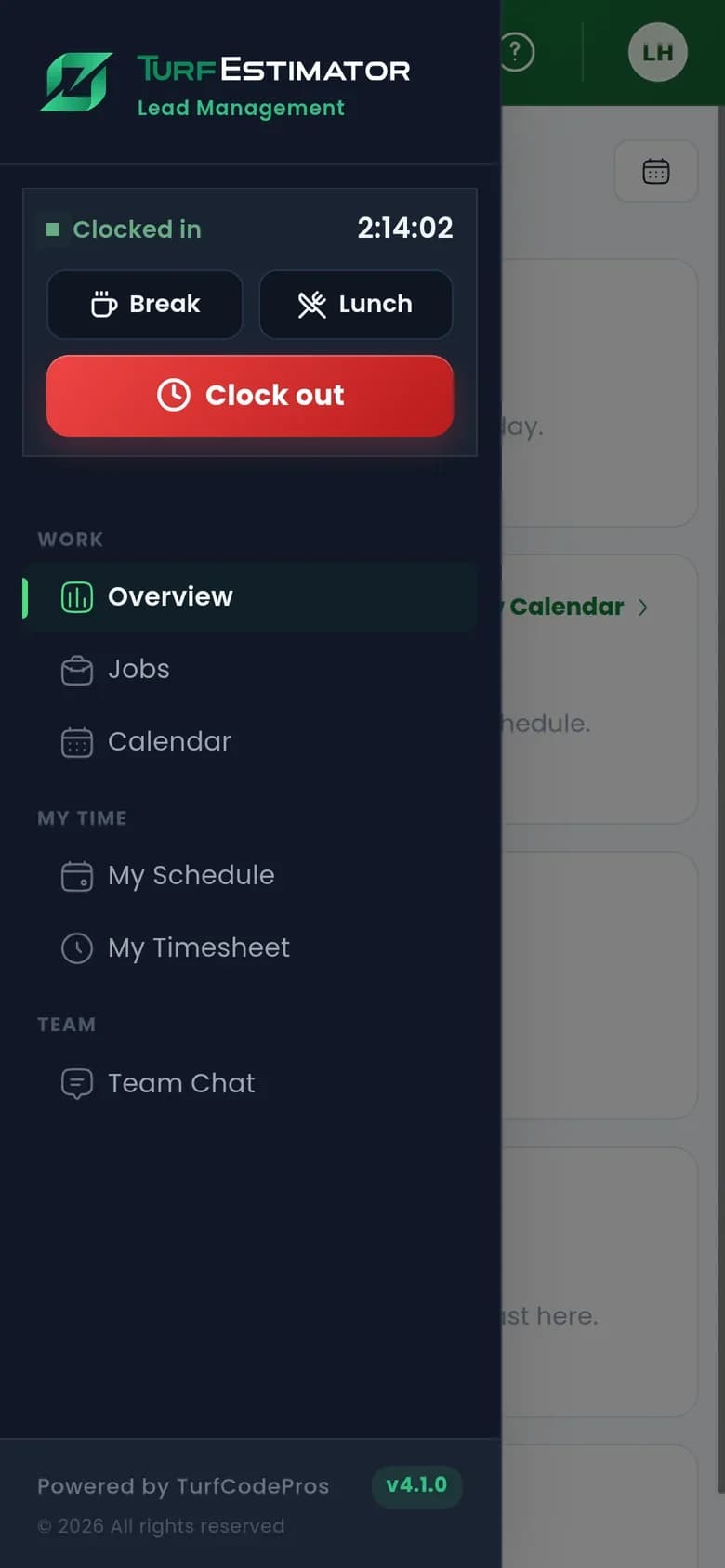
Build the week once. The crew already has it.
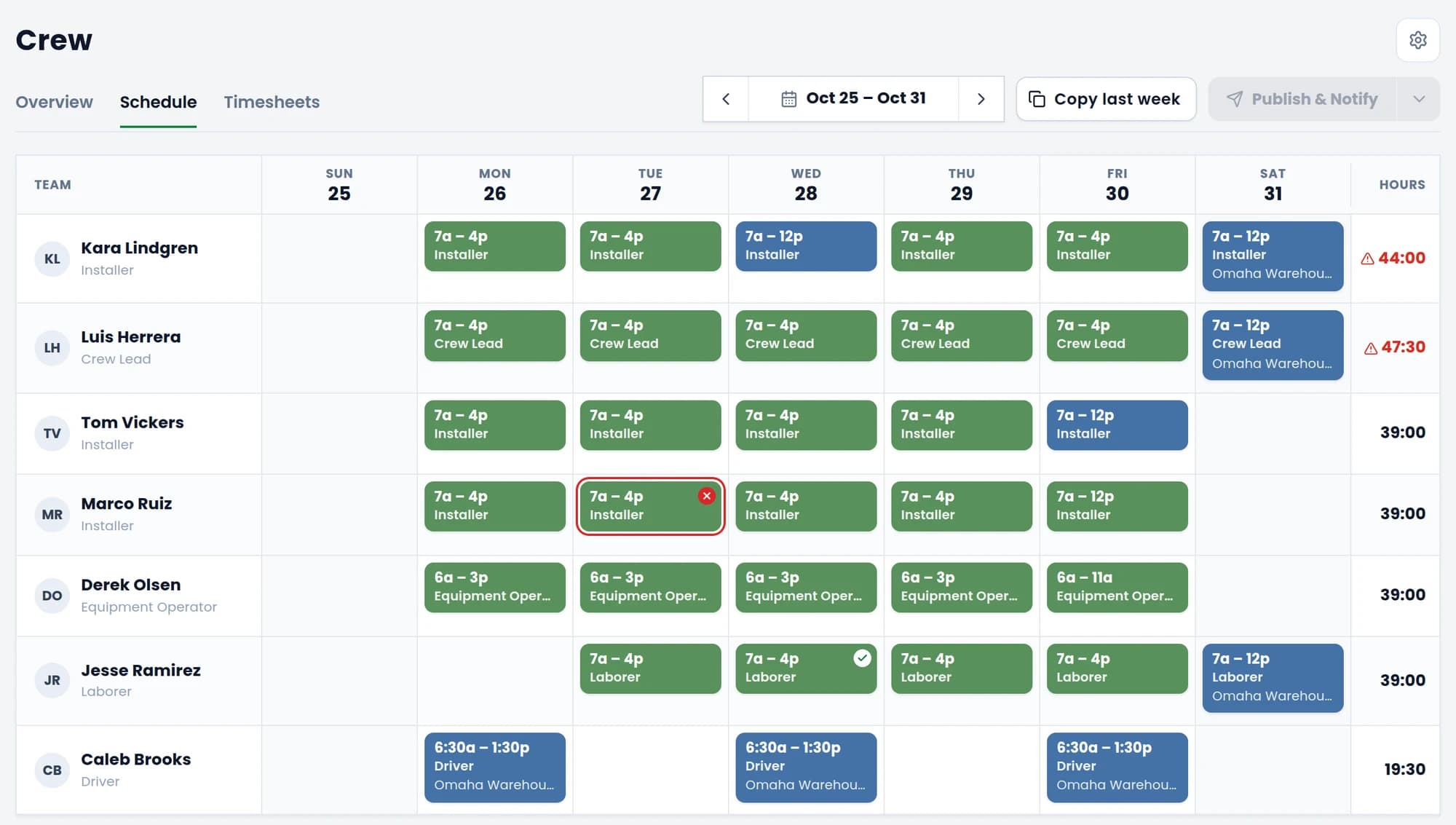
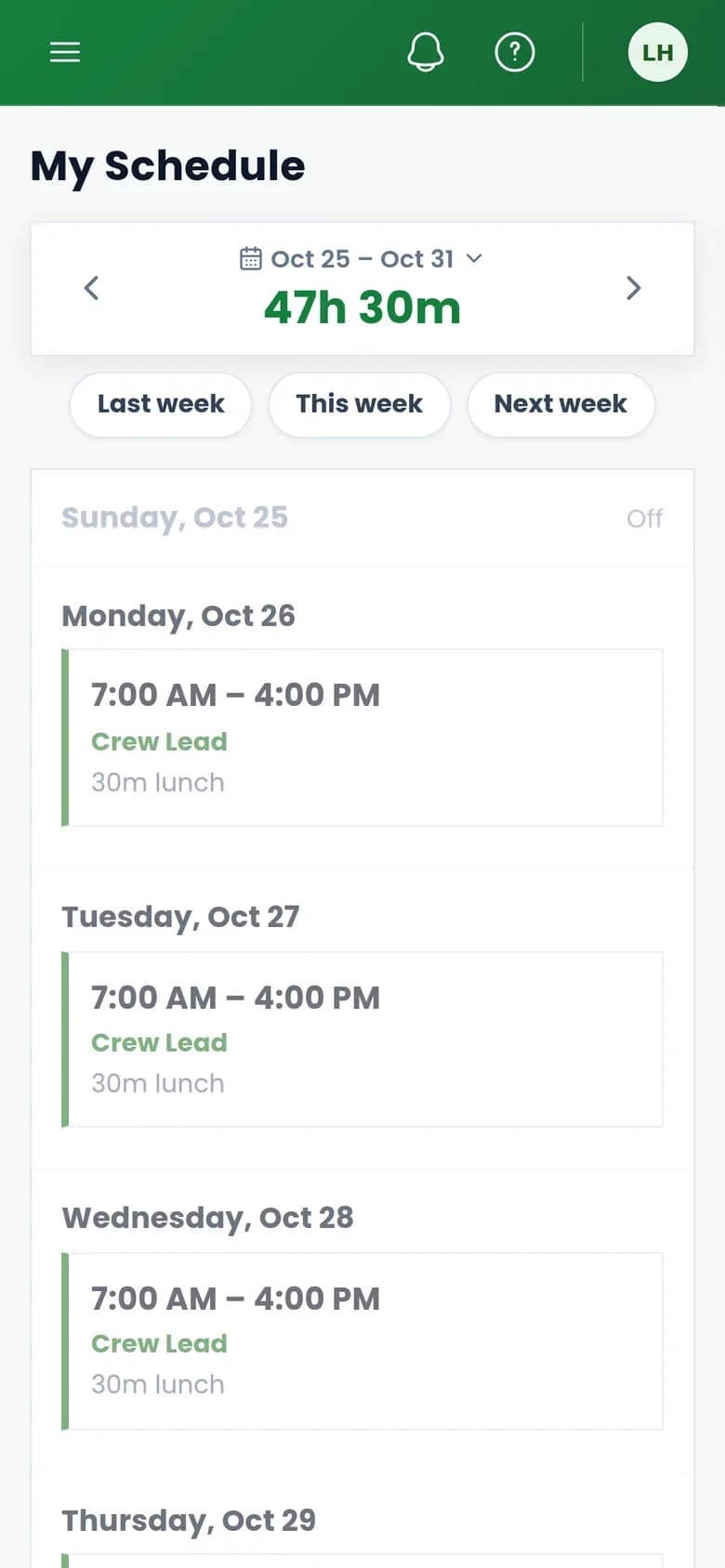
No group text on Sunday night. Build the week in the office, and everyone on your turf crew has their times, position and where to be on their phone.
In the office
On the crew's phone
Copy last week
Start from last week's shifts or from shift templates you save, and change only what's different.
Publish when it's right
Work on it until it's ready, then publish. Change a shift later and only that person hears about it.
They answer from the phone
Each person confirms a shift or says they can't make it, with a reason, so you know before the morning of.
Overtime before it happens
Hours add up as you build the week, and anyone scheduled over 40 is marked.
A GPS time clock that knows they were at the job.
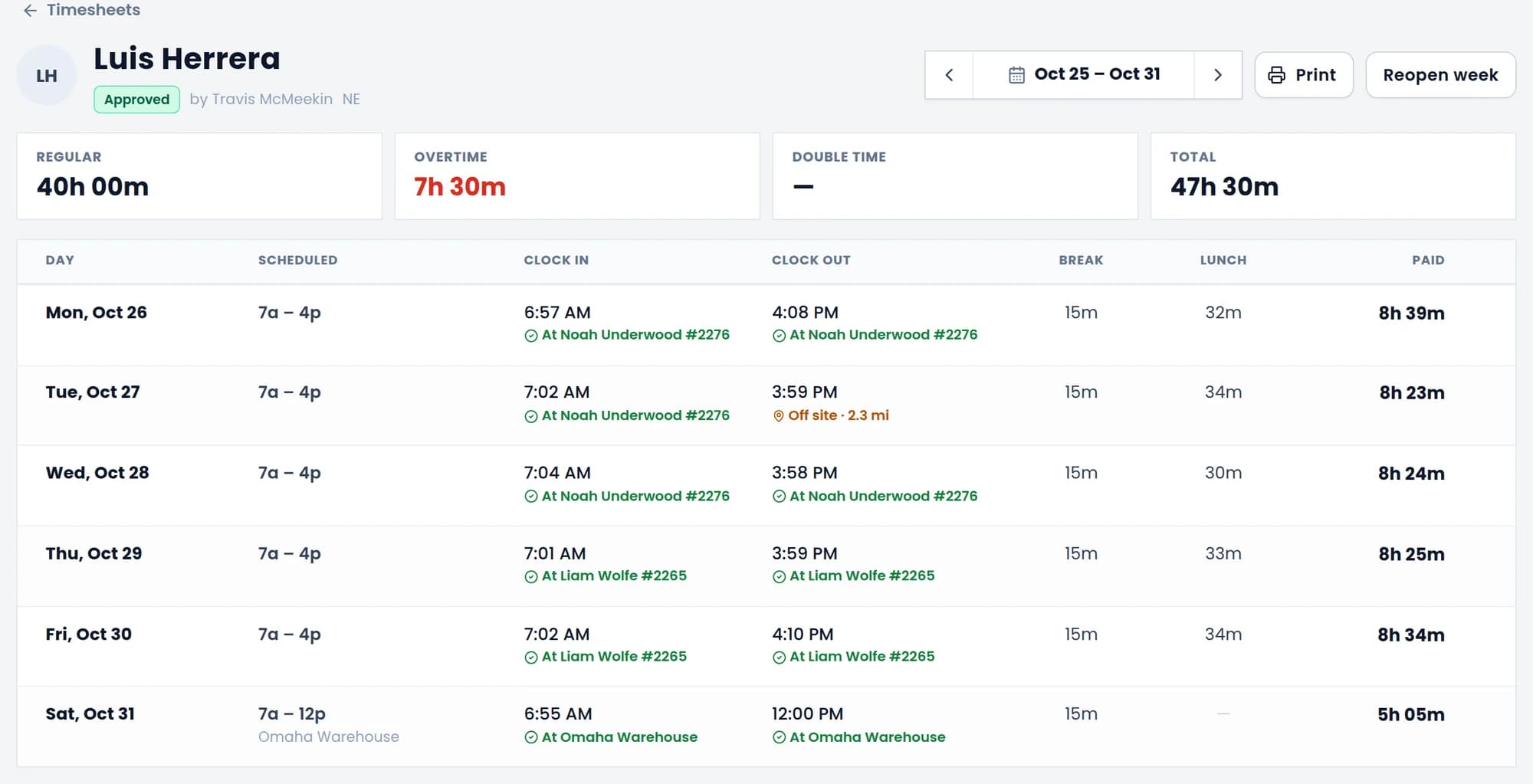
Every clock in and clock out is GPS stamped with exactly where it happened. At the job, you get a green check and the job's name. At the gas station, it's flagged with how far away they were, before you pay for a minute of it.
Proof they showed up
Every GPS punch is tied to the job it belongs to, so you know your crew was where you sent them.
Off site? You'll know.
Clock in from the truck down the street and it's flagged with the distance, one tap from the map.
Stop paying for drive time
Catch the hours that started at the gas station or ended on the way home before payroll goes out.
The yard counts too
Shop and warehouse days are marked right where they happened, so every hour has a place.
Payday is approving a week, not adding one up.
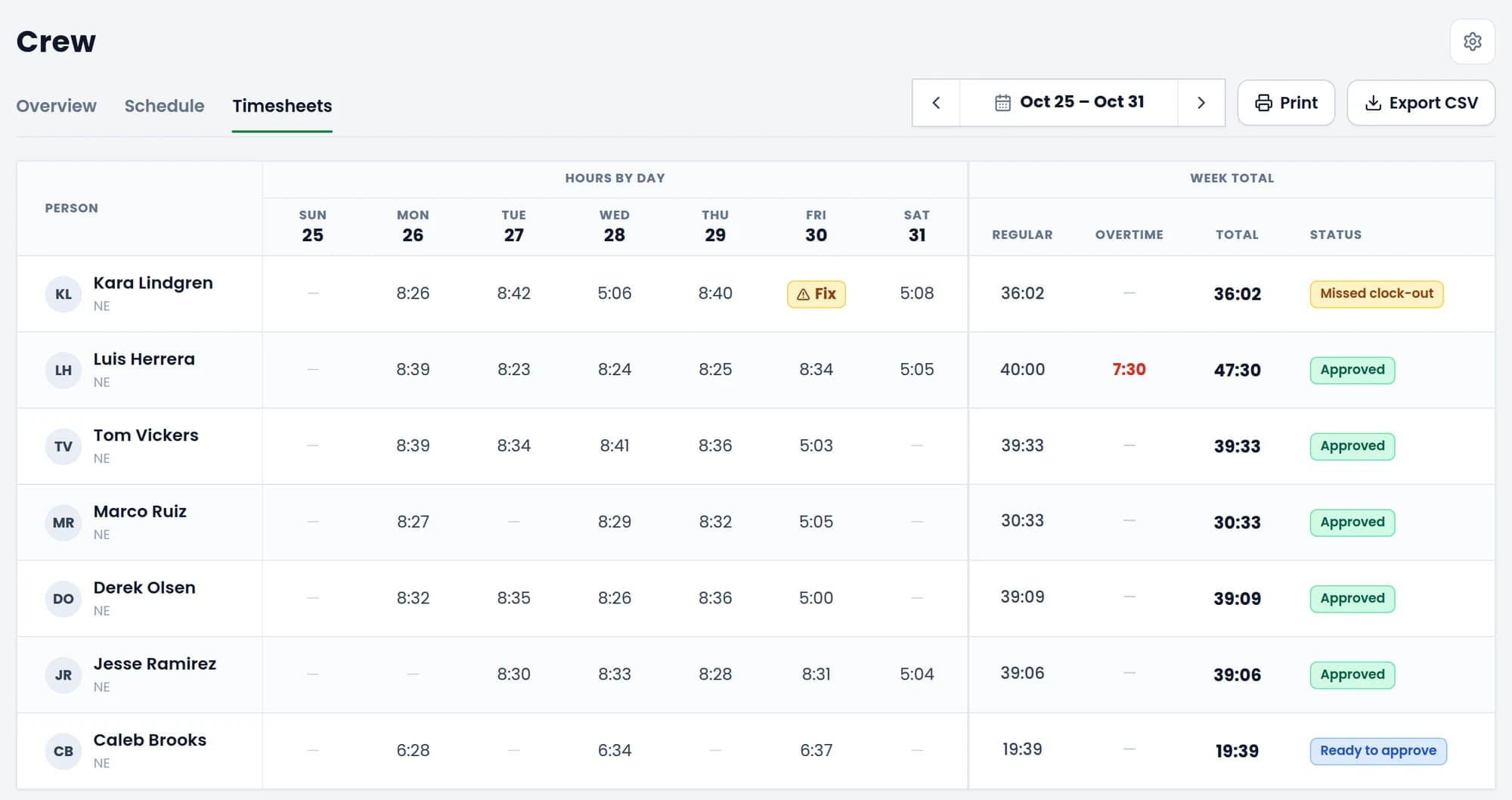
Everyone's hours by day with regular, overtime and totals worked out and anything that needs fixing marked. Your crew sees the same hours on their phones, so there's nothing to argue about.
Your timesheets
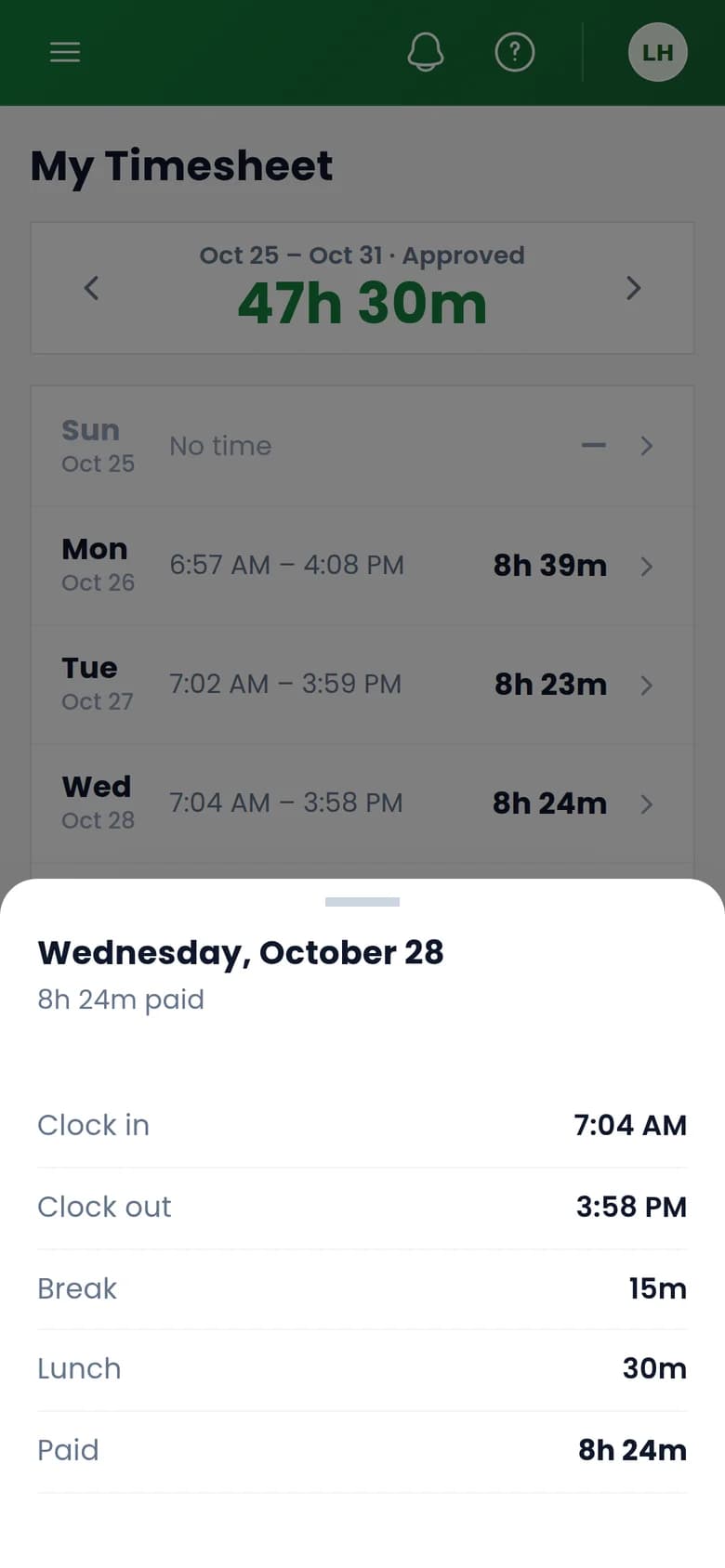
Their own hours
Overtime by state
Set your state's rules once. Overtime and double time are split out for you, and anyone exempt is left alone.
Fixes from the phone
Someone forgot to punch? They ask for a fix from their timesheet, and you accept or decline it.
QuickBooks and payroll
Approved timesheets sync with QuickBooks, or print the week and export a CSV for your payroll company.
Commission, worked out for every salesperson.
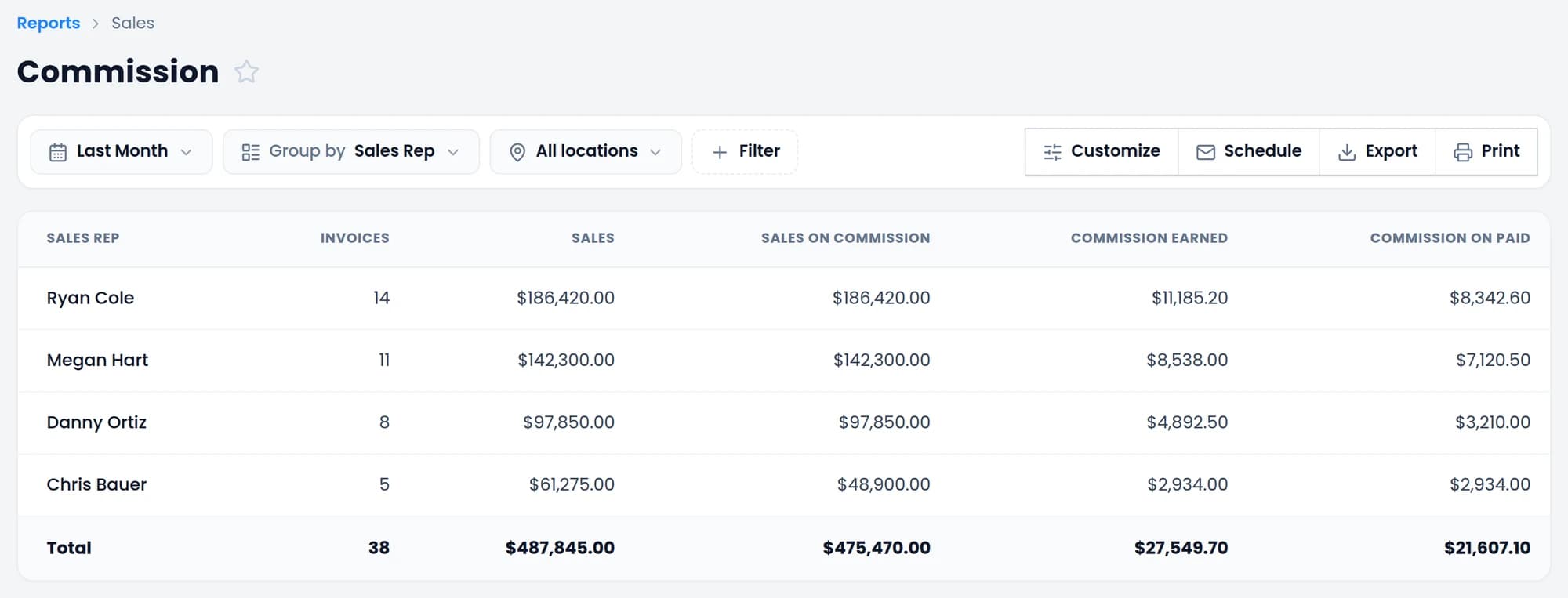
Pay a percent of the sale or the profit, on its own or on top of hourly or salary. The Commission report adds up what each salesperson earned and what's been paid, invoice by invoice, so payday is one look.
Before you put your crew on it.
It gets you everything payroll needs, but it doesn't cut the checks. Approved timesheets sync with QuickBooks, or print and export as a CSV with regular, overtime, double time and total hours for your payroll company or accountant.
From their phones, with their own worker account. They clock in and out, take breaks and lunch, see their schedule and check their timesheet.
Yes. TurfEstimator works on iPhone and Android. Your crew adds it to their home screen in a few taps, and it opens like any other app, always up to date.
Yes, with the phone's own translation. Chrome translates every screen, and TurfEstimator keeps working while it does.
Yes. Every clock in and clock out is GPS stamped with where it happened. Punches at the job get a green check with the job's name, and anything off site is flagged with how far away it was.
Yes. Set a commission percent of the sale or of the profit for a salesperson, alone or on top of hourly or salary, and the Commission report shows what each one earned on every invoice and on what's been paid.
Yes. Set the overtime rules for your state and timesheets split regular, overtime and double time for you. You can also mark someone exempt.
The shift is closed at midnight and flagged on the timesheet so it's fixed before you approve the week. Workers can ask for a fix from their phone, and you accept or decline it.
Nothing per worker. The crew scheduling software, GPS time clock and timesheets are on the Installer plan at $249 a month with unlimited field workers, and there's a 30-day free trial. Extra locations are $49 a month each.
Unlimited worker accounts.
Put the whole crew on it, and next season's too. $249 a month on the Installer plan, $0 per worker, and the first 30 days are free.
Also in TurfEstimator: turf field service software, turf job costing, a turf CRM, and everything else