

Turf CAD software that does the drawing for you.
Drop in your Moasure or CAD file and every roll, seam and cut is laid out in seconds, your waste is worked out and the estimate builds itself. Backyards, putting greens, whole football fields with the track.
No CAD training. No second app. No copying numbers.
What do turf installers use CAD for?
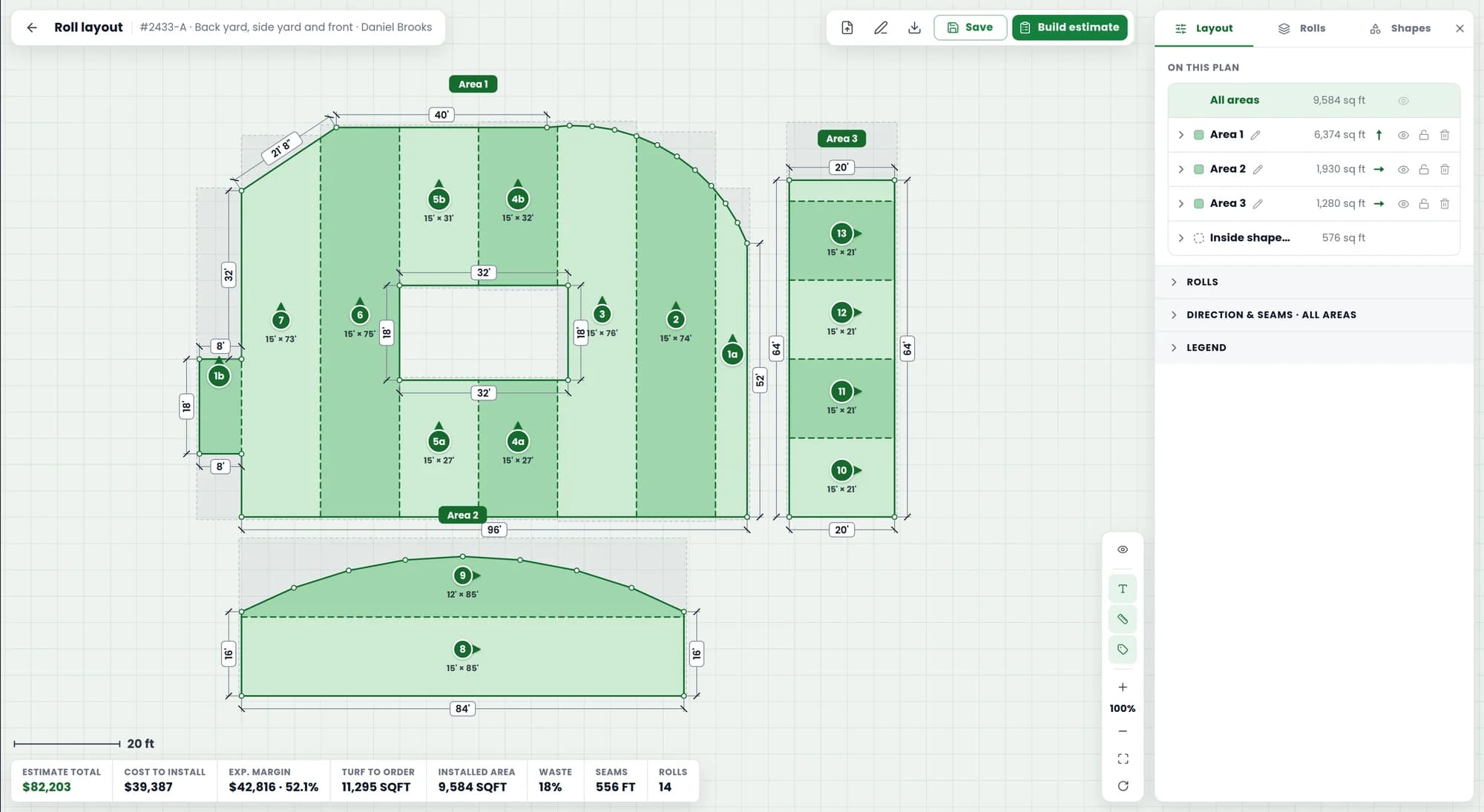
One thing, mostly: figuring out how fixed-width rolls fit the job. Which way they run, where the seams land, what gets cut and how much turf to order. In a CAD program you draw every bit of that yourself, then copy every number into your estimate.
TurfEstimator is turf CAD software built for artificial turf installers, and it does all of it for you. Bring in the yard or the field, and the rolls, seams, cut list, waste and estimate are done before your coffee gets cold.
Five steps in CAD. Two in TurfEstimator.
In a CAD program
Learn the program
Weeks of training, and again for every new salesperson.
Draw the yard
Trace every edge, curve and corner by hand.
Lay out every roll
Work out the direction and place each roll and seam yourself.
Count it all up
Add up rolls, waste, seam length and edging.
Type it into your estimate
Copy every number into another app and hope nothing was missed.
In TurfEstimator
Bring in the yard
Drop in your Moasure or CAD file, a picture of the plan, or trace it on the satellite map.
It's done
Every roll, seam and cut laid out, your waste worked out, and the estimate built with your margin on it.
No training: drop in the file and go
No drawing: every edge and curve read from your file
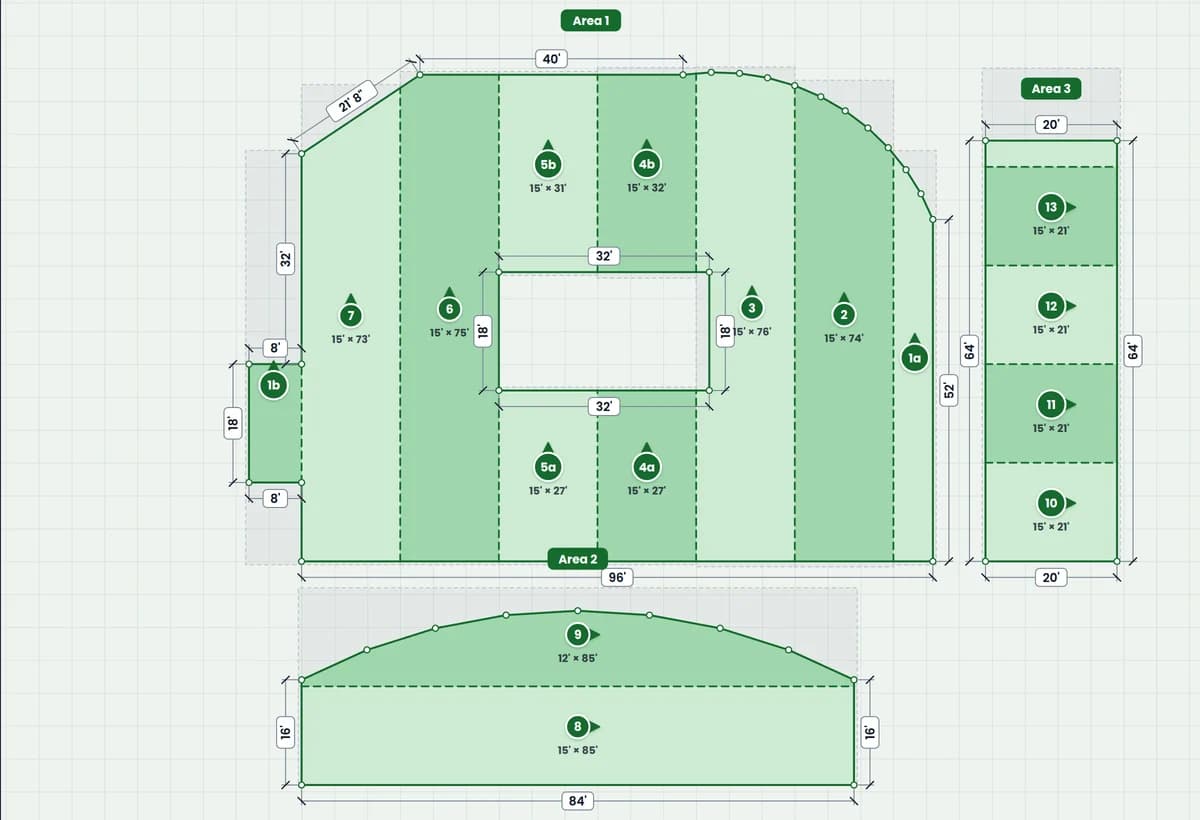
Every roll and seam laid out and numbered
Turf to order, waste and seams counted for you
The estimate built, with your cost and margin
14
rolls laid out
18%
waste, worked out
52%
margin, before you send it
A whole football field, laid out in seconds
Pick the field, drop the track around it, and every roll is placed with the stripes on the roll lines. Your colors and lettering in the end zones.
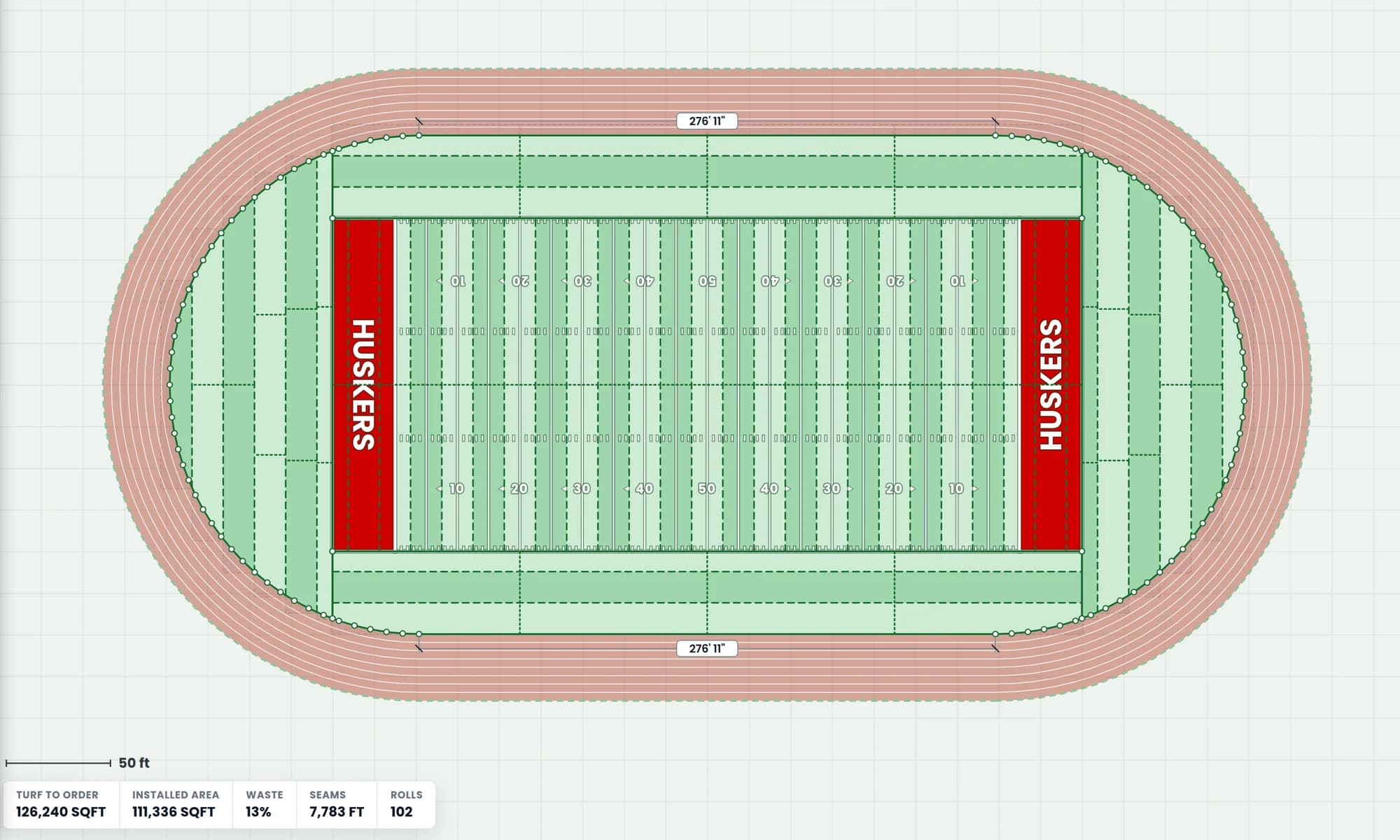
102
rolls, placed for you
13%
waste, worked out for you
7,783 ft
of seams, measured
Whatever you measured with, it reads it
Bring in the job however you have it, and it comes in at its real size, ready to lay out.
Seamless Moasure import
Walk the job with your Moasure, drop the file in, and it's ready to lay out. Measured in sections? Bring them all in at once and they land side by side.
Any CAD file with a scale
A DXF from your CAD program or an architect's drawing comes in at its real size. TurfEstimator reads the scale and gets it right.
A picture of the plan
Snap a photo or a screenshot of a plan, and it scales the shape from the area total.
Draw it on the satellite map
No file? Trace the yard on the satellite view, or start from what your customer measured on your quote form.
As many areas as the job has
Front yard, back yard, dog run and a putting green on one plan, each with its own turf.
CSV point lists
Bring in the points from any measuring tool as a CSV.
Least waste, every time
It turns the layout to find the least turf and the shortest seams. Turn it yourself and everything updates live.
Roll layout softwareThe estimate builds itself
Turf to order, seams, edging and labor go straight onto the estimate, rounded up, with your cost and margin showing.
Turf estimating softwareA plan with your logo
Export the roll layout and the cut list as one PDF, every roll numbered, for the crew or the customer.
Before you open a CAD program
It does everything turf installers use CAD for: roll layouts, seams, waste and a numbered cut list, plus the estimate built from them, with no CAD training.
One built for turf. General CAD makes you draw every roll and count every seam yourself. TurfEstimator reads your Moasure or CAD file, lays out every roll, works out your waste and builds the estimate, all in the same software you run the business on.
No. If you can drop a file in or trace a yard on a map, you can lay out a job. New salespeople are laying out jobs on day one.
Yes. Pick a high school or college field and the field, end zones, sidelines and track are drawn to size, every roll placed and numbered, with your turf to order and waste worked out.
Yes. Export the DXF from your Moasure and drop it in, several files at once if you measured in sections. A screenshot of Moasure's 2D view works too.
Yes. Any CAD file with a scale comes in at its real size, and CSV point lists and pictures of the plan work too.
Yes. A putting green inside a lawn, a different synthetic turf in another area, or an empty shape you name, each with its own rolls and quantities.
Turf layouts and cut lists are part of the Installer plan, $249 a month after a 30-day free trial, along with estimates, jobs and payments.
Skip the drawing. Keep the layout.
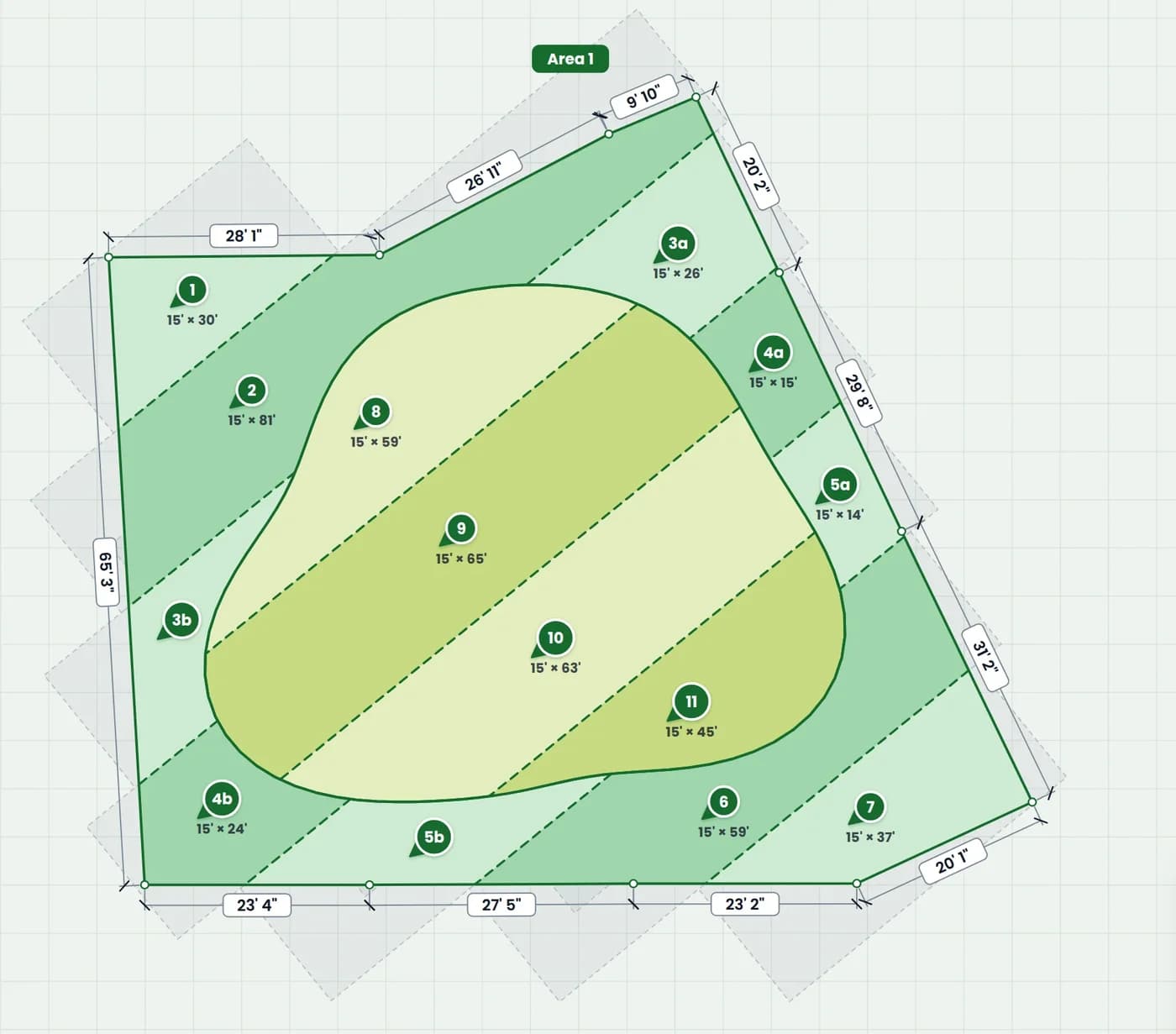
From a backyard to a football field: every roll, seam and cut laid out and priced. Layouts and cut lists come with the Installer plan, $249 a month and free for 30 days.
Also in TurfEstimator: roll layout software, turf takeoff software, turf estimating software, sports field turf software